Divi vs Ultra: Price Is a Draw, Divi Wins on Depth
Buy Divi. Divi and Themify Ultra cost exactly the same — $89 a year or $249 once, unlimited sites, 30-day refund on both — so price cannot decide this. Divi wins because the builder is the entire product and is funded accordingly: more modules, genuine custom image filters rather than presets, and a far larger layout library. Buy Ultra instead if you specifically need a built-in mega menu, which Divi does not have, or want 41 other themes in the box.
Prices checked September 2026.
Some links on this page are affiliate links. If you buy through one, WPNeon earns a commission at no extra cost to you. It does not change what we recommend — see how we review.
These are the two multipurpose themes people most often shortlist against each other, and for good reason: both put a drag-and-drop builder at the centre, both do real-time editing, and both are sold as unlimited-site licences at identical prices. What follows compares them where they actually differ.
Elegant Themes’ Divi
Divi is a theme and visual builder from Elegant Themes, powered by the Divi builder. It handles most site types, and its strengths are attractive stock designs, responsive editing, a deep feature set and solid performance even on pages carrying a lot of elements. It is sold as an annual or lifetime licence for unlimited sites, and there is no coupon code that reduces it — our Elegant Themes coupon page explains what actually lowers the checkout total.
Themify’s Ultra
Ultra is Themify’s flagship theme, giving detailed control from header to footer. Its ready-made theme skins and site designs are what make it worth buying: they take a new site from empty to presentable faster than anything in Divi. It ships with the Themify builder, just as Divi ships with its own.
Divi vs Ultra: price and licensing
| What you are buying | Divi (Elegant Themes) | Ultra (Themify) | Verdict |
|---|---|---|---|
| Annual price | $89 billed yearly ($7.42/mo) | Master Club, $89 per year | Draw |
| Lifetime price | Divi Lifetime, $249 one-off | Lifetime Club, $249 one-off | Draw |
| Sites per licence | Unlimited | Unlimited | Draw |
| Money-back guarantee | 30 days | 30 days | Draw |
| What the membership includes | Divi theme and builder | 42 themes including Ultra, plus Builder Pro, Post Type Builder, 25 builder addons, 11 plugins and predesigned layouts | Ultra |
| Higher tier available | Divi Pro, $236 yearly, adding Divi AI, Divi Cloud, Divi VIP, Divi Teams and Divi Dash | No higher tier | Divi |
| Built-in mega menu | No, needs a third-party plugin | Yes | Ultra |
| Custom image filters | Yes, adjustable | Presets only | Divi |
The headline numbers are identical down to the refund window, which makes price a poor tie-breaker. What differs is what the money buys. Themify’s $89 unlocks a library of 42 themes, so Ultra arrives as one option among many. Elegant Themes’ $89 buys one theme and one builder — but that builder is the whole product, and it gets the whole development budget.
#1. Theme design
>> Responsiveness
Both are responsive and adapt properly to different screen sizes. During customisation each lets you preview at various breakpoints and check how blocks and layouts respond. No meaningful difference here.>> Starter designs
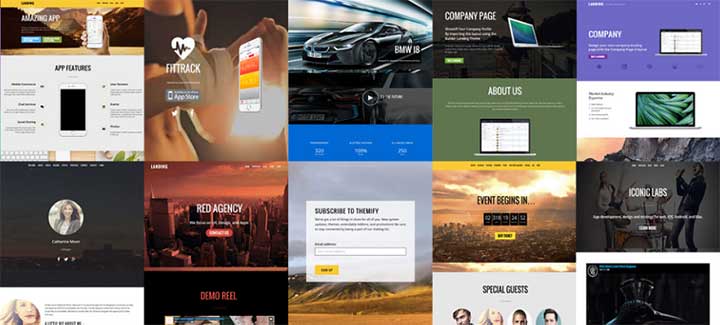
Divi includes a large library of professionally designed website packs and premade layouts. Pick one and you have an attractive design almost instantly, then customise the elements to suit. Ultra brings a broad selection of design skins and premade layouts, with plenty of niche-specific options. The skins get a complete starter site standing within minutes, and Ultra does one thing better here: during skin import you can skip the demo articles and other content you do not want, which saves a cleanup job Divi will hand you.

>> Layouts
Divi provides an extensive collection of professionally designed layouts to jump-start a page, then customise by swapping elements in the builder. Working from a premade layout is also the fastest way to learn the builder. You can save your own layouts for reuse; saved layouts sit in the Divi Library and export as JSON to load into another site, which is the mechanism our Divi layout import and export guide walks through step by step. Custom header and footer options finish the job. Ultra gives finer control over the theme layout itself, header to footer: heading and page styles, single-post layouts, blog layouts, header background layouts and custom typography options, applied site-wide or per page. If you want structural control without opening the builder on every page, Ultra is the better tool.
>> Sliders and scrolling
With Divi you can build full-width or custom slides with headings, short copy and image overlays, all inside slider modules.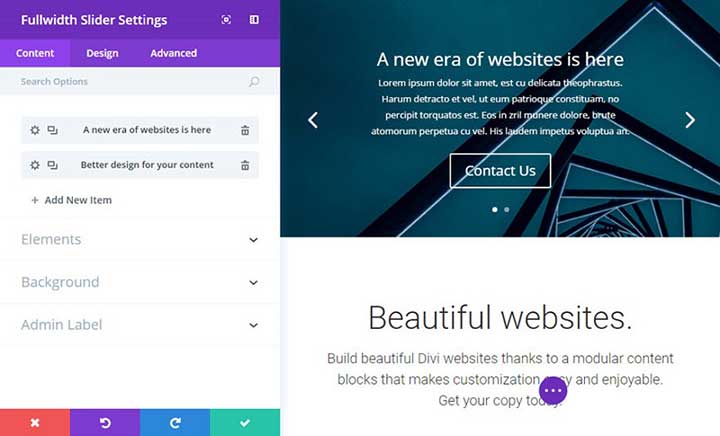 Ultra answers with full-section scrolling, letting visitors move through the page vertically or horizontally. The horizontal mode is close to a Divi slider; the vertical scrolling is the distinctive part, and you can pair it with a slide-out or overlay header, or run horizontal scrolling with a minibar or top bar. Overlay text and images are straightforward to customise.

>> Mega menu
This is Ultra’s clearest win, and it is a real one. Divi has no built-in mega menu. Its menu styling lives in the WordPress Customizer and the theme’s header options, which cover full-width layouts, letter spacing, custom text widths and logo sizing, but a proper multi-column dropdown needs a third-party plugin such as QuadMenu.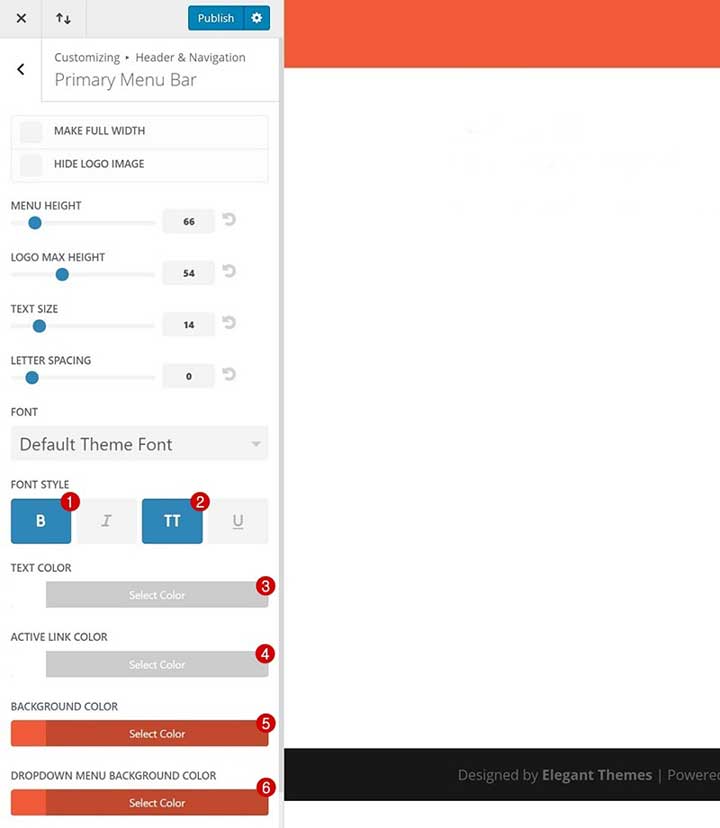 Ultra ships mega menu settings that show recent posts, build multi-column dropdowns and place widgets in the menu. If your site has deep navigation — a shop with many categories, a magazine with many sections — that alone can decide this comparison.
>> Image filters
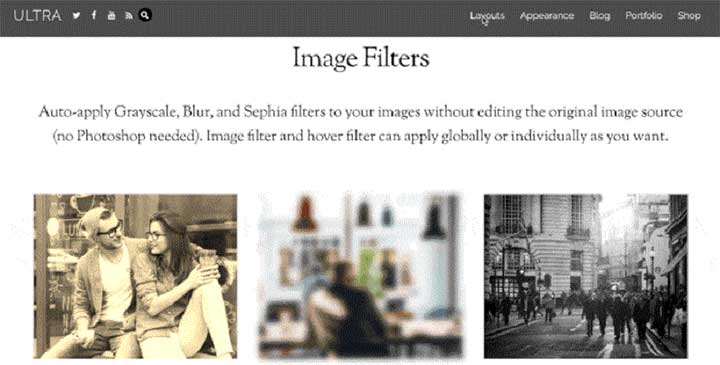
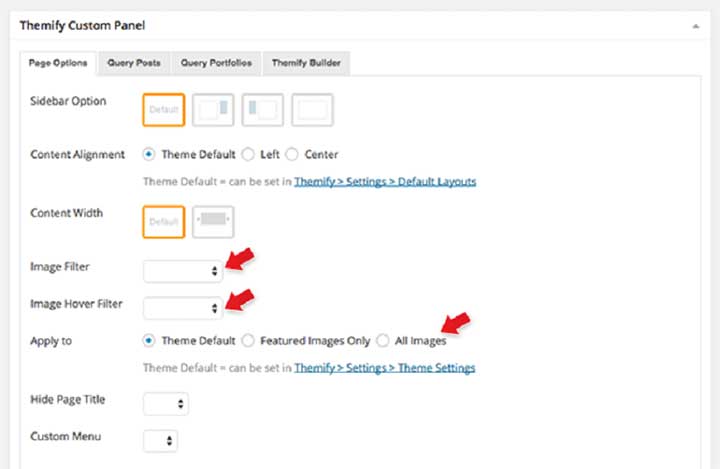
Divi includes adjustable image filters covering colour, hue, brightness, contrast and more, previewed live. They are genuinely useful for giving images a consistent look without opening a separate editor.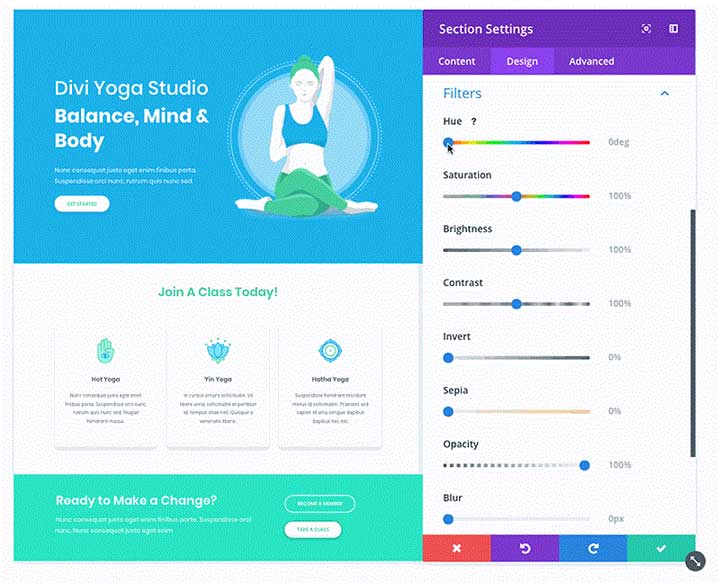 Ultra offers presets instead — grayscale, blur, sepia and similar — applied globally or per image, with separate hover filters. Fine for a house style, but you cannot dial in a specific look the way you can in Divi.
#2. The page builder
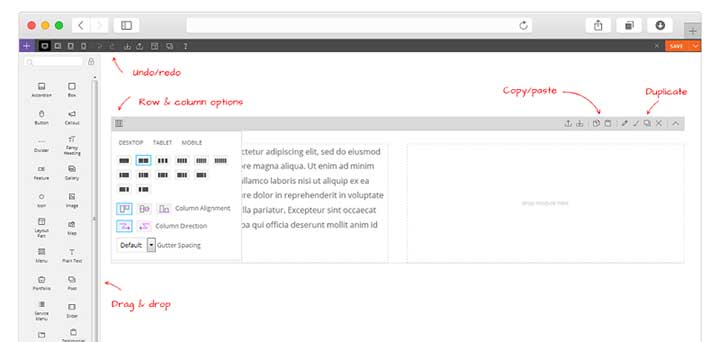
Divi includes the Divi builder, and this is where the price goes. Visual editing shows changes as you make them, text edits happen inside the modules, and adjusting elements is smooth. You can start from a premade layout and rework it with the module set, which is broad. The editor’s speed and visual workflow are the strongest argument for the whole product.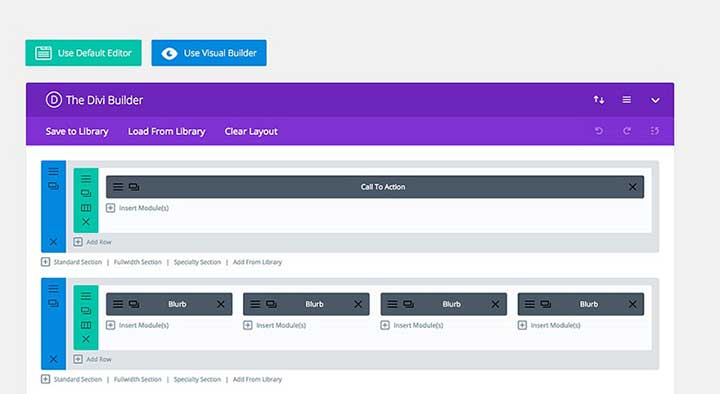 Ultra includes the Themify builder, with a solid range of content elements to drag onto the page and any layout from the library as a starting point. Its distinctive feature is two editing modes: a front-end editor that shows changes live, and a back-end editor for structuring a page before previewing it. The back-end mode is faster for bulk structural work, and Divi has no equivalent.
The trade-off is element count. The Themify builder carries fewer elements inside the editor than Divi does, and its premade layouts do more of the work as a result.
Ultra includes the Themify builder, with a solid range of content elements to drag onto the page and any layout from the library as a starting point. Its distinctive feature is two editing modes: a front-end editor that shows changes live, and a back-end editor for structuring a page before previewing it. The back-end mode is faster for bulk structural work, and Divi has no equivalent.
The trade-off is element count. The Themify builder carries fewer elements inside the editor than Divi does, and its premade layouts do more of the work as a result.