WordPress Affiliate Link Plugins: 3 Management Options
Some links on this page are affiliate links. If you buy through one, WPNeon earns a commission at no extra cost to you. See how we review.
Do you manage dozens of affiliate destinations across a WordPress site? A link-management plugin helps you update URLs in one place, organize campaigns and count outbound clicks. It does not automatically improve SEO, make an affiliate offer trustworthy or prove a visitor purchased anything.
Scope: this comparison draws on the providers’ documented features, not hands-on performance testing. Pricing and plan limits change; check each vendor’s current checkout and changelog.
Choose by the job
Branded links and an established dashboard: Pretty Links. Publisher-oriented organization and selective uncloaking: ThirstyAffiliates. A free option with explicit regular-versus-cloaked links: Easy Affiliate Links.
Three affiliate link tools compared
| Plugin | Useful for | Check first |
|---|---|---|
| Pretty Links | Branded redirects, centralized updates and click reports | Which automation and reports require a paid plan? |
| ThirstyAffiliates | Affiliate link categories, editor insertion and selective uncloaking | Network restrictions and optional Pro automation. |
| Easy Affiliate Links | Regular or cloaked links, sponsored/UGC settings and basic tracking | Premium link checking and location-based features. |
1. Pretty Links: centralized short links

Pretty Links’ WordPress.org listing describes branded redirects, link management and click statistics. This is useful when a vendor changes a destination: update the managed link instead of hunting down every occurrence in your posts. Review the current free-versus-Pro feature list before buying automated keyword links or more elaborate reporting.
2. ThirstyAffiliates: organized publisher links

ThirstyAffiliates supports link categories, an editor workflow and uncloaked links for programs that restrict redirects. Its documentation distinguishes basic features from paid tools such as automatic keyword linking, more detailed reporting and link-health checks. Avoid auto-inserting affiliate links on every matching word: excessive repetition makes articles harder to read.
3. Easy Affiliate Links: free link-management starting point
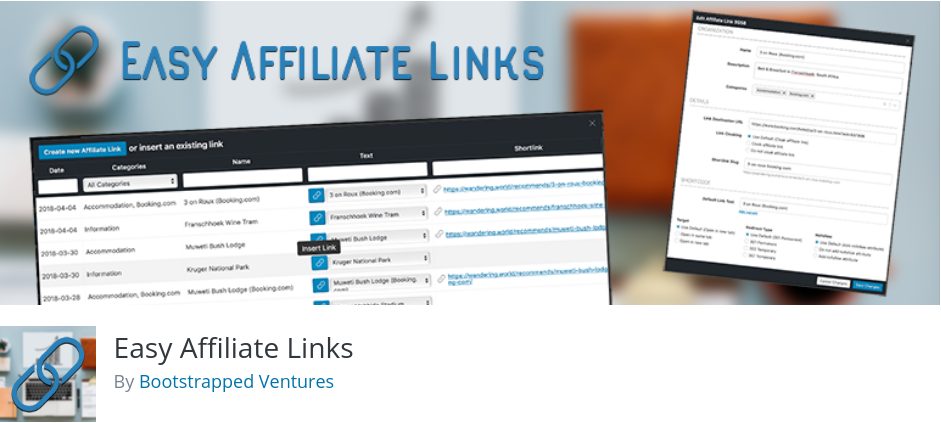
Easy Affiliate Links documents both regular and cloaked links, tracking, import/export and options for sponsored or UGC attributes. Its listing also describes premium features such as more advanced statistics and a broken-link checker. Check whether its interface meets your workflow before paying for features you do not need.
Should you cloak Amazon or other merchant links?
Follow the exact terms of each program. Some merchants restrict redirects or require their own URLs to remain recognizable. Do not assume that a general-purpose cloaking switch is permitted for every program. Choose a regular/uncloaked link when required, and check the merchant’s current policy before changing live links.
Five checks before installing a link plugin
- Disclosure: clearly identify affiliate relationships to readers. A shorter redirect does not replace a disclosure.
- Link attributes: Google prefers
rel="sponsored"for compensated links; see our WordPress sponsored-link tutorial. - Merchant compliance: verify redirects, destination masking, geo-routing and use of tracking parameters against every relevant agreement.
- Measurement: a click count is not a conversion. Reconcile it with approved affiliate-network reports.
- Migration: export link destinations and document your redirect paths before replacing the plugin.
The earlier ten-item edition also named Affiliate Links by custom4web, HighWayPro, a MyThemeShop shortener and several niche tools. Those old prices and feature claims are not retained as current recommendations without a fresh product-by-product availability check.
Different question? If you sell products and want to pay other publishers to refer customers, you need software for running your own affiliate program, not just an outbound link organizer.
