AdSense WordPress Themes: Ad Placement & Reader Experience
Some links on this page are affiliate links. If you buy through one, WPNeon earns a commission at no extra cost to you. See how we review.
Looking for an AdSense-ready WordPress theme? An ad slot is just a place for a unit—not a promise of approval, revenue or search rankings. Choose a theme that keeps content readable, supports the ad placements you actually need and can be maintained without disrupting your site.
Research note: these are theme examples to investigate, not independently tested revenue or speed rankings. Current theme features, prices and support dates require a vendor check.
Before changing your theme
Already like your current layout? Google describes options for adding AdSense code to WordPress without changing themes. Need a publishing redesign? Compare article templates and ad positions in Newspaper, JNews, Extra and Soledad. Planning aggressive ad placements? Read the placement rules before publishing them.
Four themes to explore
| Theme | Publishing model | Check in the demo |
|---|---|---|
| Newspaper | News or magazine publication | Article ad slots, layout stability and mobile navigation. |
| JNews | Editorial publication with varied layouts | Ad placement around galleries and long articles. |
| Extra | Magazine site using the Divi builder | Category layouts and builder dependency. |
| Soledad | Multi-layout blog or magazine | Readability and the number of scripts imported with demos. |
1. Newspaper: editorial layouts

Newspaper is designed for publishers. Preview an individual article and a category archive with realistic ad placements, not just an attractive homepage. Verify the current product page’s ad-management features and required builder before purchasing.
2. JNews: a varied magazine workflow

JNews provides editorial layouts to explore. Check where advertising appears on mobile and whether important article content moves when units load. Do not accept vendor speed claims as a measurement of your finished website.
3. Extra: magazine layouts in the Divi ecosystem
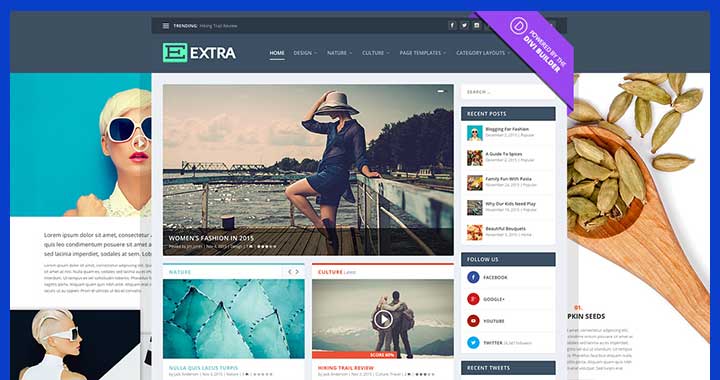
Extra uses a Divi-oriented publishing workflow. Inspect category templates, post typography and the cost of maintaining that builder setup. Read our dedicated Extra review for more product context.
4. Soledad: a flexible blog layout option

Soledad’s different demos make it worth examining for a content-heavy blog. Import only the components you need and test the actual post template with ads enabled. Verify vendor compatibility and current plan terms before purchase.
AdSense compliance is more important than an ad-ready badge
Google’s ad placement rules warn against ad layouts that cause accidental clicks, such as units confused with menus, navigation or download buttons. Do not label advertisements deceptively, encourage visitors to click or place them in prohibited pop-ups. Check the latest AdSense policies for your account and format.
How to test an ad layout
- Keep content readable before and after units load, especially on phones.
- Separate ads from navigation, purchase CTAs and interactive controls.
- Check layout shifts and loading with actual ad scripts—not blank demo placeholders.
- Review revenue per relevant visit alongside reader engagement, not click-through rate alone.
- Confirm your privacy disclosures and consent implementation match the ad setup.
The earlier 28-theme list included stale license prices and unverified claims that themes automatically boost AdSense income. Those are not retained as current recommendations. If you do not need a redesign, our AdSense plugin guide discusses an alternative implementation route.
