WordPress Survey Plugins: 6 Choices for Feedback & Polls
Want to ask customers why they bought, what is missing from your product, or how satisfied they are? A survey collects feedback across several questions; a poll usually asks one quick question; a quiz scores or categorizes answers. Choosing the right tool starts with that distinction.
Match the tool to your feedback goal
Flexible surveys and quizzes: Quiz and Survey Master. Advanced forms and reports: Formidable Forms or WPForms. One-question polls: WP-Polls. Popup questionnaires: Modal Survey. Interactive polls and quizzes: Opinion Stage.
Survey plugin comparison
| Tool | Useful for | Investigate |
|---|---|---|
| Quiz and Survey Master | Questionnaires, tests and score-based forms | Add-ons for exports, notifications and analytics. |
| Formidable Forms | Forms with conditional fields and data views | Which reporting features require a paid plan. |
| WPForms | Surveys alongside an existing forms workflow | Survey-specific fields and reports by license. |
| WP-Polls | Simple visitor votes | Whether a single-question poll is sufficient. |
| Modal Survey | Polls and visual response reporting | Popup experience and data export. |
| Opinion Stage | Embedded interactive polls and surveys | Account, branding and data handling terms. |
1. Quiz and Survey Master — a flexible starting point

Quiz and Survey Master builds both surveys and scored quizzes. It offers question types, results pages and a question bank. If you need a survey today and a scored assessment later, one tool could cover both. Review its optional add-ons if you need advanced exports, email connections or a particular reporting format.
2. Formidable Forms — feedback you want to work with

Formidable Forms’ survey product is oriented toward collecting and using structured form data. Consider it when a questionnaire requires conditional questions, long-form answers or reports inside WordPress. Try building your longest real survey in its demo and confirm the relevant survey fields are included in your intended plan.
See Formidable survey features →
3. WPForms — surveys alongside other forms

WPForms is a general form builder with survey-related features in its paid offerings. It makes sense to evaluate if you already collect contact inquiries or leads with WPForms and prefer one form-management interface. Check the current Survey and Polls functionality and reporting availability before upgrading solely for this use.
4. WP-Polls — one-question voting

WP-Polls is for site polls rather than customer-research questionnaires. Use it for a quick audience vote with a limited set of answers. If you need several pages of feedback, consent fields and respondent-level exports, look at a survey builder instead.
5. Modal Survey — visual polls and questionnaires
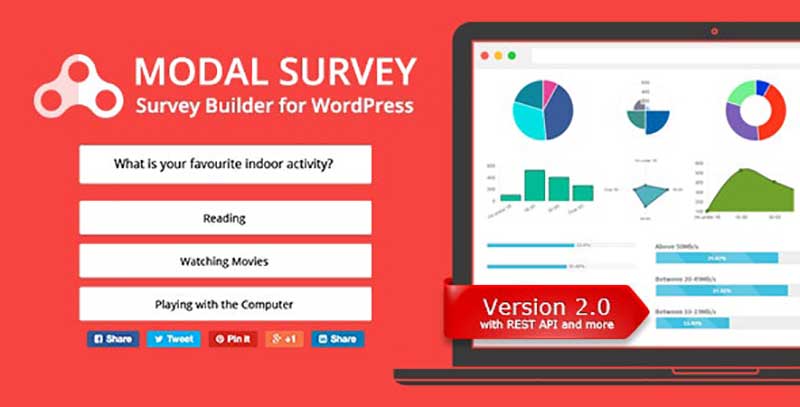
Modal Survey offers questionnaire and polling formats with chart-based results. This is worth evaluating for a website that wants an embedded or popup feedback experience. Test a full survey on mobile and confirm that responses can be exported in the format your team uses.
6. Opinion Stage — interactive content
Opinion Stage supports interactive polls, surveys and quizzes. Consider it when the survey is part of a content-engagement campaign, then check whether its account and subscription terms suit your data-ownership requirements.
Four decisions before you publish a survey
- Choose a metric: satisfaction, product feedback, checkout friction or audience preferences.
- Write neutral questions, with an optional free-text field for unexpected answers.
- Test on mobile and check the confirmation, notification and export process.
- Collect only the personal information you need, and decide how long responses will be kept.
For personality quizzes or scored tests, see our separate WordPress quiz plugin guide—that is a different buying decision.
